Fast Actions
Fast Actions is a Premiere Pro plugin that lets you run custom automation scripts, no coding knowledge required.
The Panel
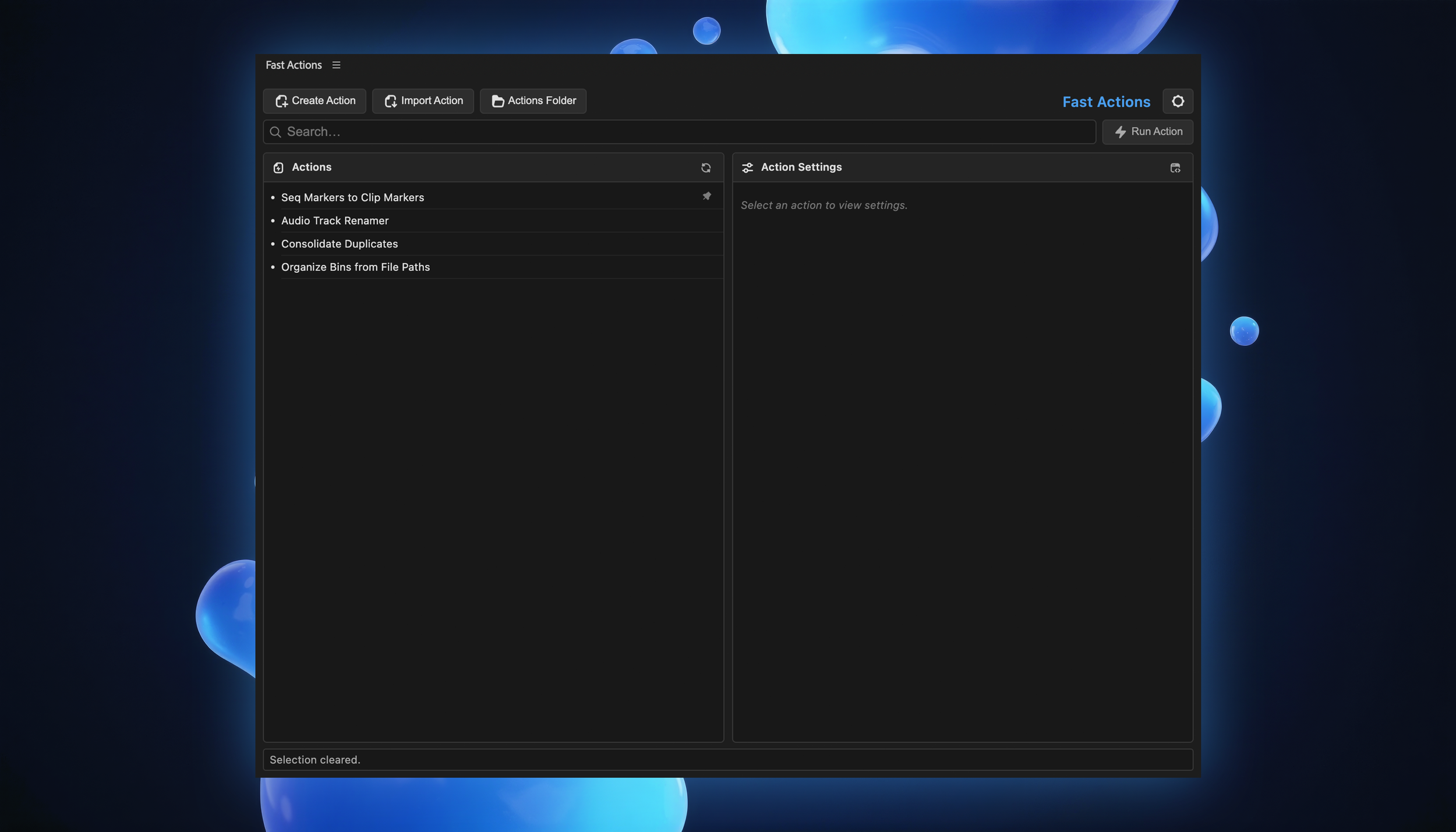
Use any AI (ChatGPT, Claude, Gemini, Grok) to generate custom actions tailored to your exact workflow.
Describe what you want, paste the result into Fast Actions, and run it, all without leaving Premiere.
Rename clips in bulk, organize bins, convert markers, set up audio tracks, and anything else you can imagine.
Step 1 - Write Prompt
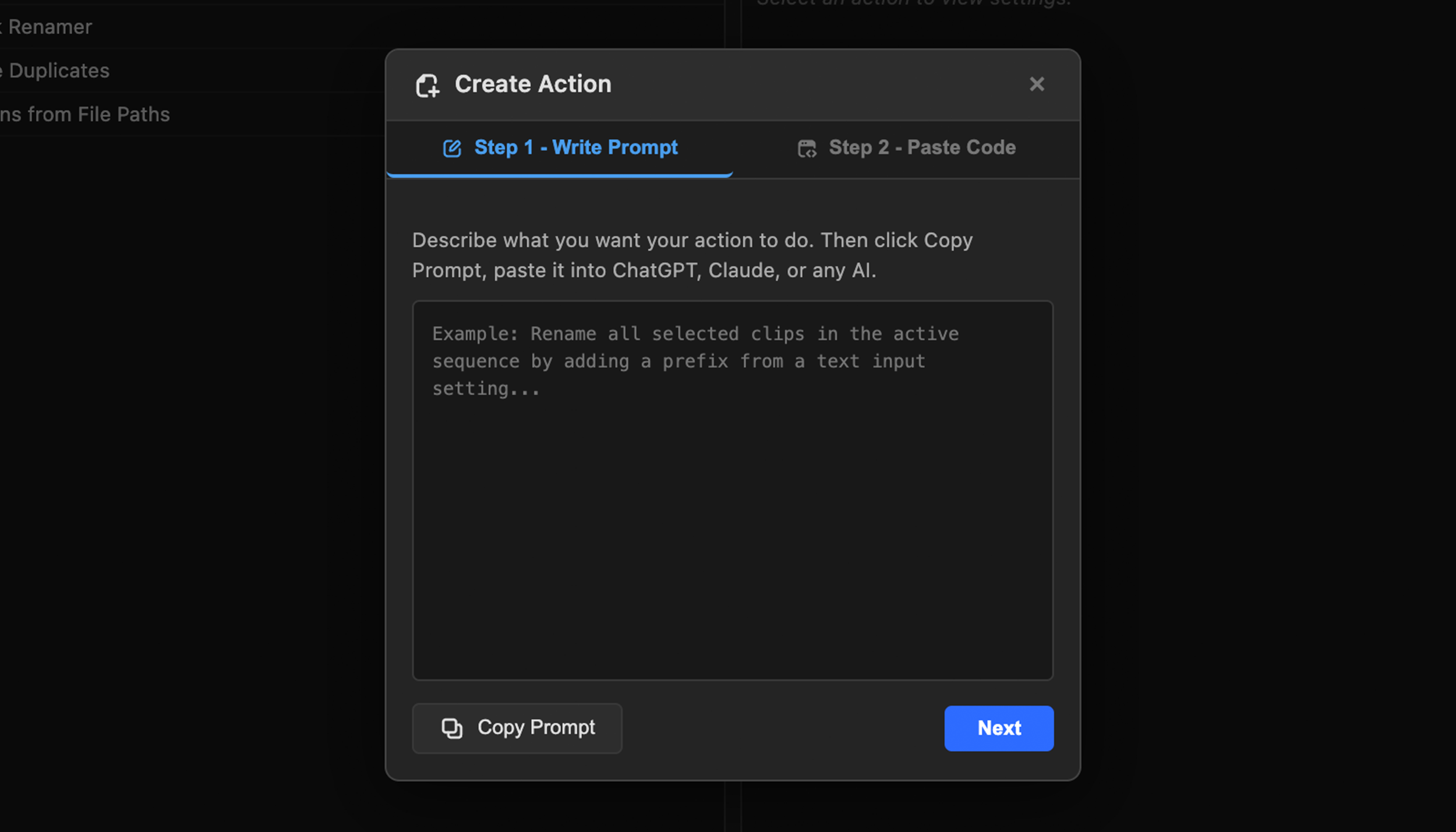
Describe what you want your action to do in plain English, like "rename all clips on V1 with a prefix…" or "convert sequence markers to clip marks." Click Copy Prompt to send it to ChatGPT, Claude, or any AI, and it'll write the script for you.
Step 2 - Paste Code
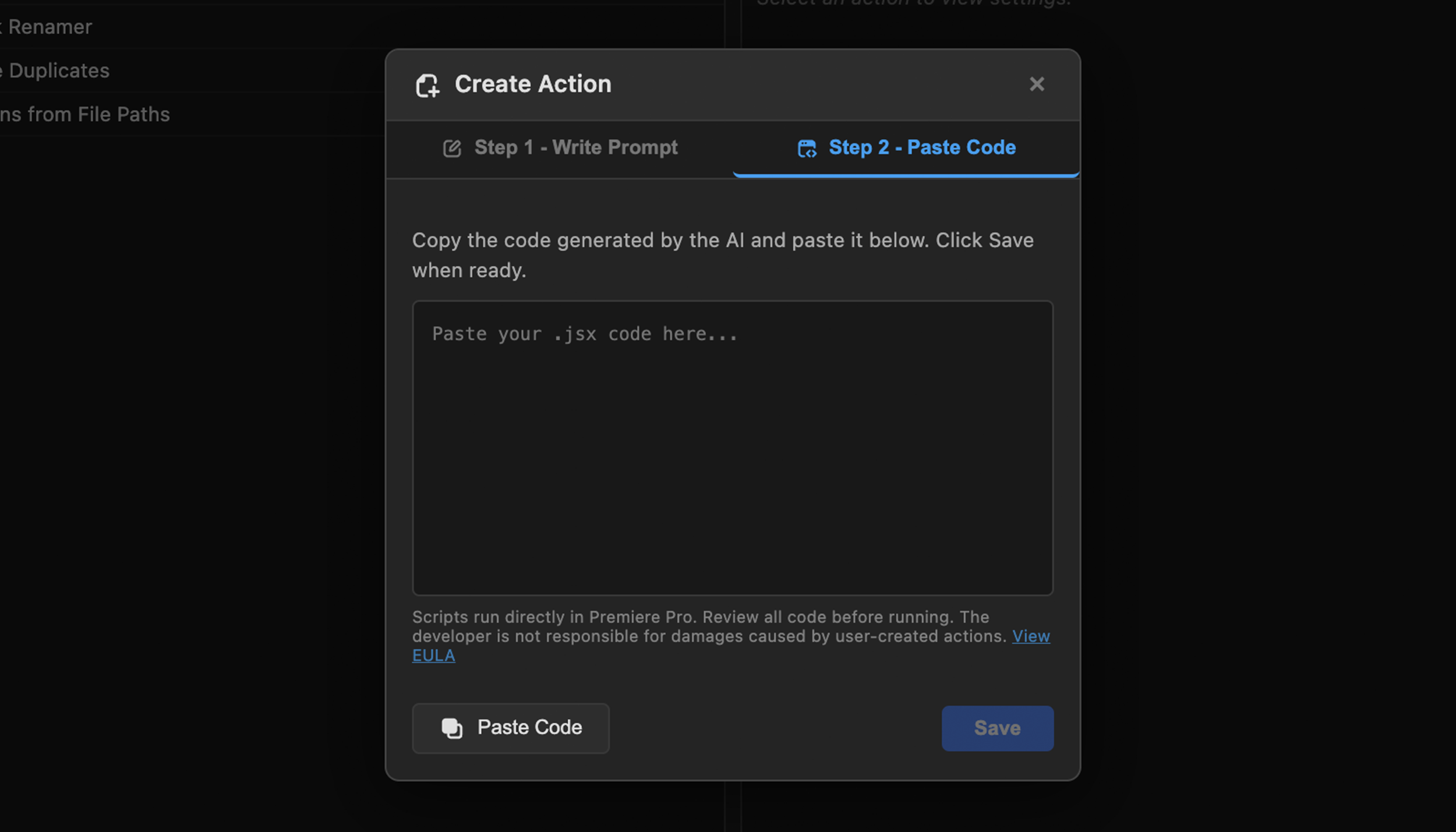
Copy the .jsx code the AI gives you and paste it into the code field. Fast Actions handles the rest. No need to save files, find folders, or configure anything manually. Just paste and hit Save.
Step 3 - Save Action
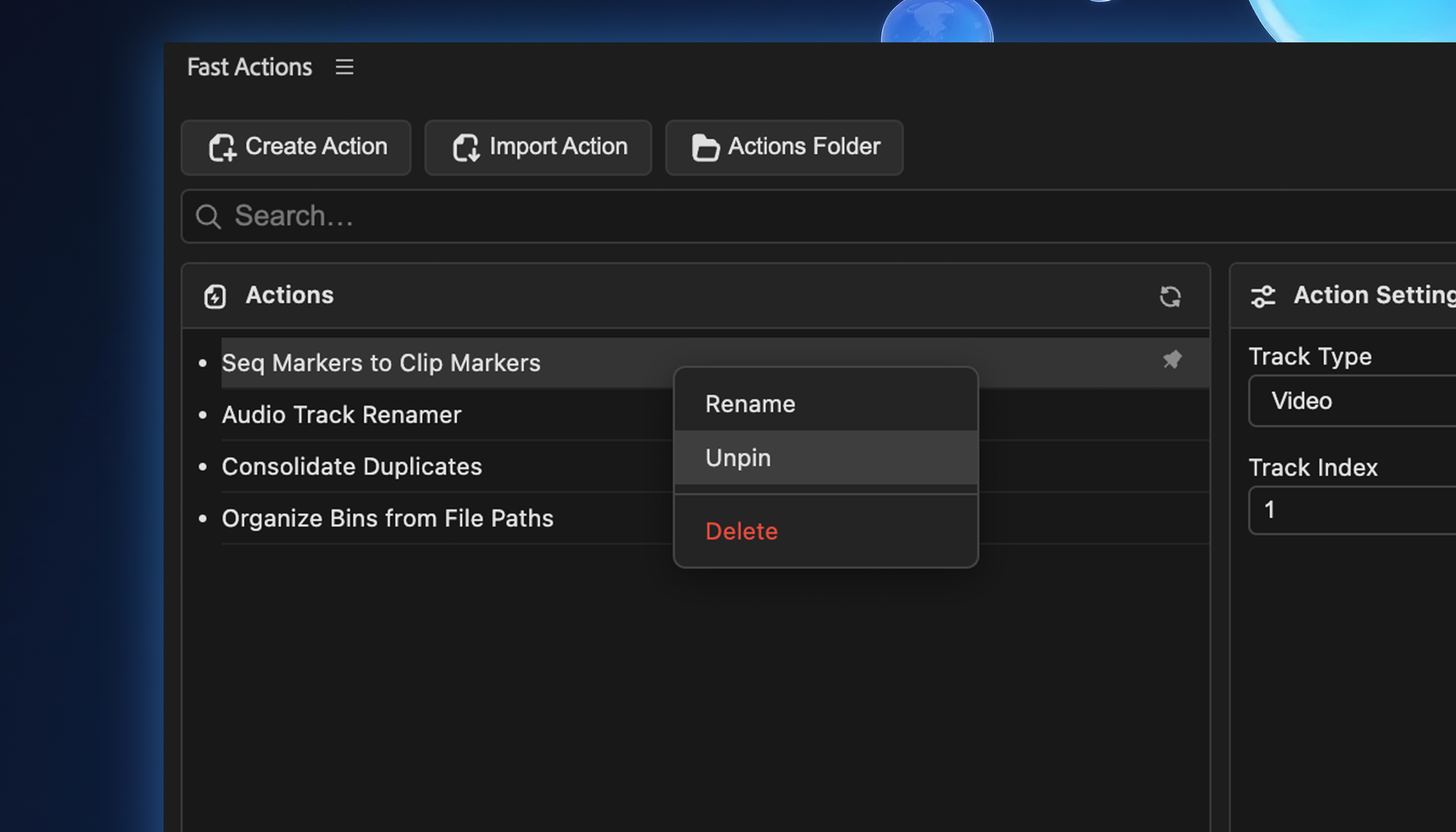
Your new action appears in the panel, ready to use. Adjust settings, click Run Action, and it executes right inside Premiere Pro. Rename, pin favorites, or delete what you don't need. Share actions with others using Import Action or navigate directly to the Actions Folder.
Time to Start Automating
Describe it. Paste it. Run it. Custom Premiere automation, no coding required
Need some Actions to Start?
Browse the Post Wheelhouse created Actions to get you started!